Music
Your own music folders as a library: albums, tracks, playlists and album art, with equaliser and sleep timer. From a PC or NAS, playable on every device in the house.
 OmniStream
JoyRan Software
OmniStream
JoyRan Software
What OmniStream does
Your own music folders as a library: albums, tracks, playlists and album art, with equaliser and sleep timer. From a PC or NAS, playable on every device in the house.
Thousands of stations with logo, search and favourites. Handy as background while cooking or working, without an app's ad breaks.
Open your own video folders, make playlists and keep track per user of where you left off. Holiday films and recordings in the same place as the rest.
Add podcast feeds and play episodes in the same player. New episodes are fetched automatically.
Via your own subscription — Odido, Ziggo, NPO, KPN, or almost any other provider with an M3U link or Xtream Codes: channel logos, favourites, recently watched and, where your provider includes a guide, what is on now and next.
Schedule recordings from the guide; if one is already running, the next goes in the queue. On supported channels you can also catch up.
YouTube, Spotify, Twitch, Netflix, Deezer, Vimeo, Disney+ and Apple TV can be shown as an extra tab.
Profiles with their own permissions, favourites and settings. The first administrator prepares the installation.
A limited interface for children, with PIN unlock when admin or adult parts are needed.
A Windows service in the background. Other devices only need a browser.
Build your own lists from your music, videos and radio stations. Favourites and recently played are always within reach.
Control playback from any device in the house with a browser. No separate app needed.
Interactive demo
Switch between live TV, programme guide, recordings, local media, users and admin. It quickly shows how the parts work together in one central media hub.
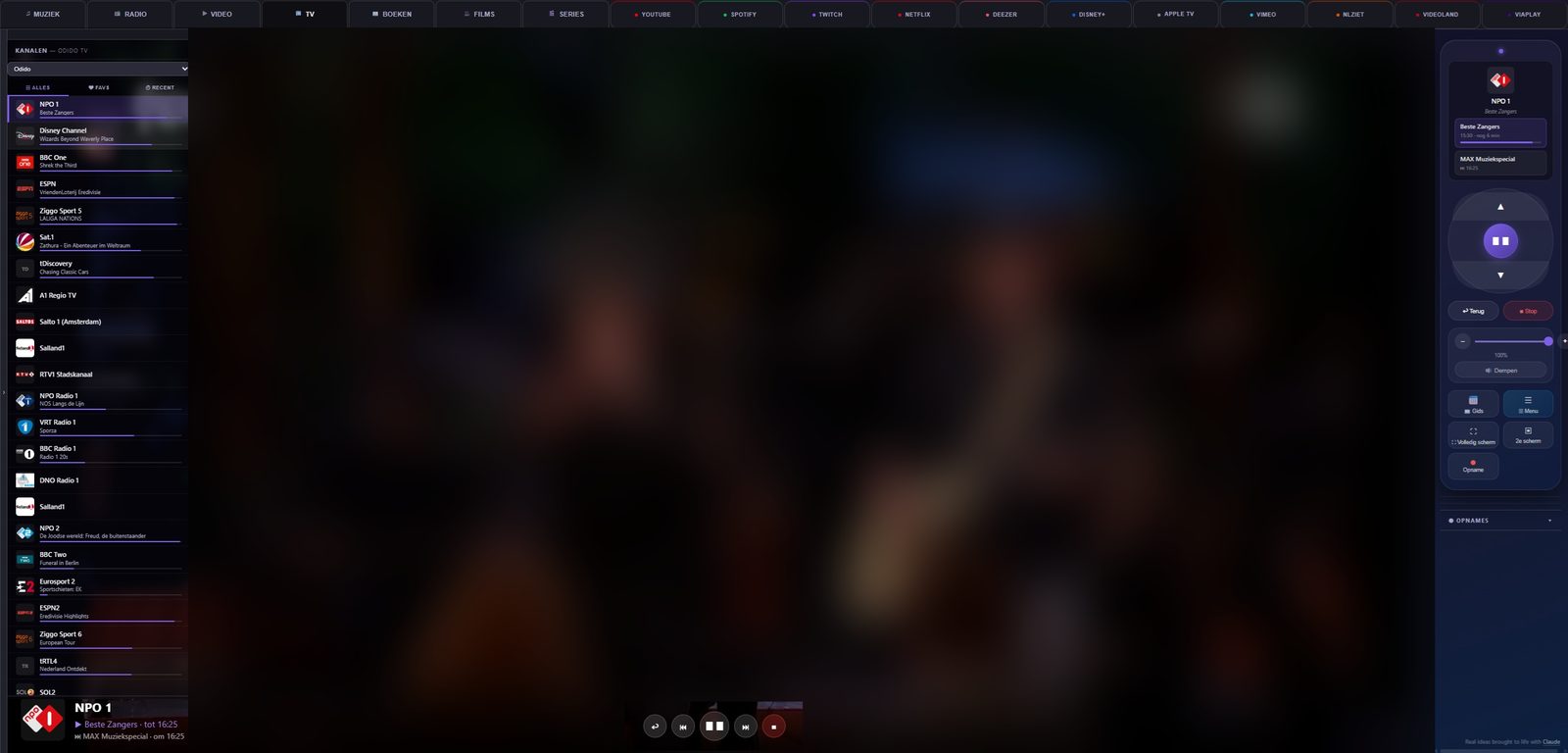
TV servicesOdido, Ziggo, NPO and KPN, plus M3U and Xtream Codes
PermissionsTurn modules on or off per user
LicenceFree limits or Paid activation with a licence key
Koppel uw eigen Odido- of Ziggo-abonnement en bekijk uw kanalen overzichtelijk vanuit een browser in het thuisnetwerk.
Interface in detail
All screenshots below come from a real OmniStream installation — no mock-ups or design sketches.
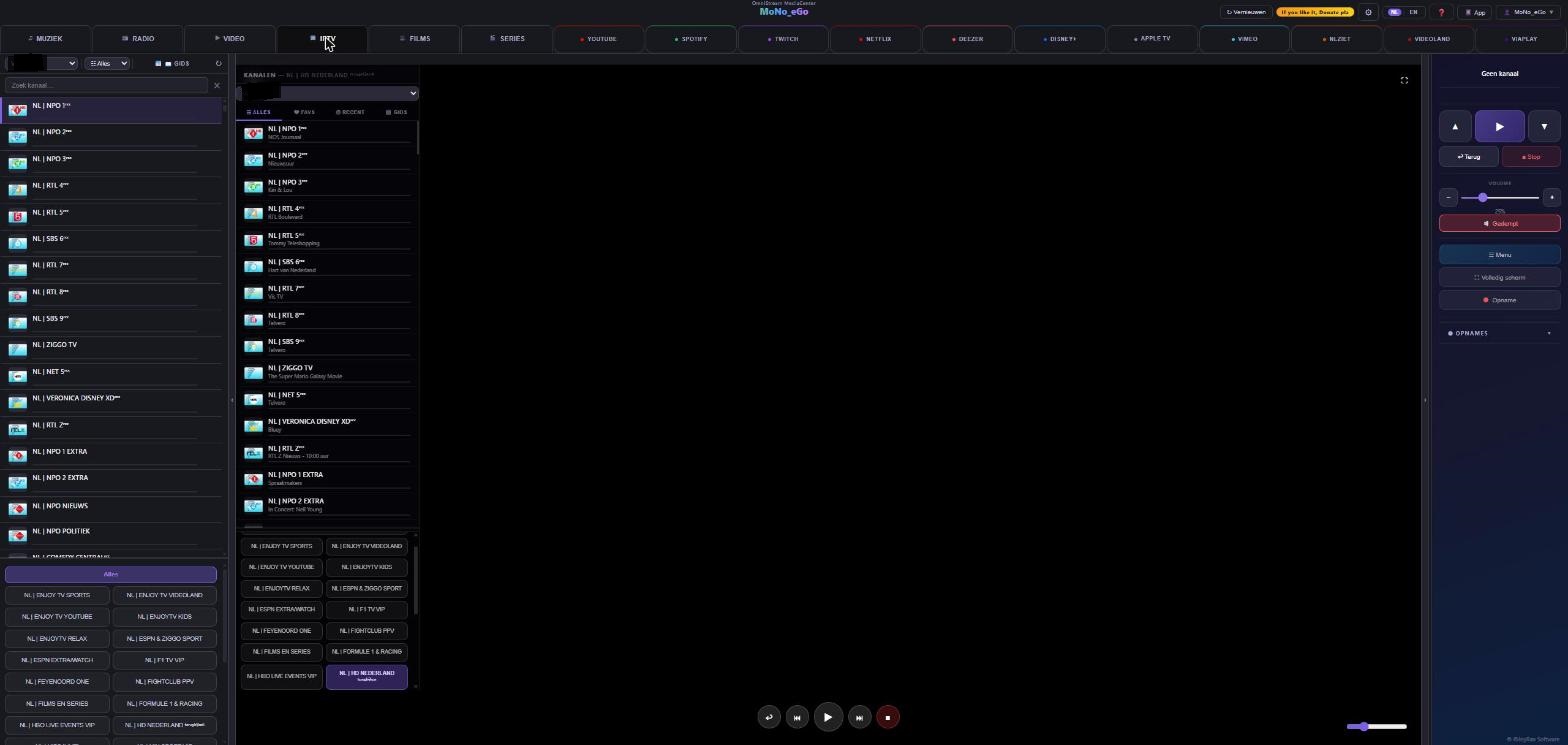
OmniStream plays TV channels across the full width of the browser with a collapsible sidebar for quick channel selection. The EPG guide shows the current programme right next to the player.
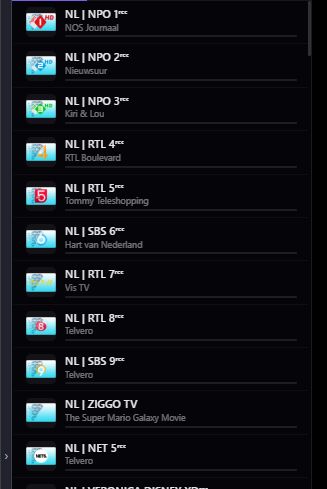
All channels from your provider neatly sorted. Search, filter by category, mark favourites and switch quickly without changing pages.
The guide shows what is on now and next per channel. From the guide you schedule recordings or set a reminder. On supported channels catch-up is directly available.
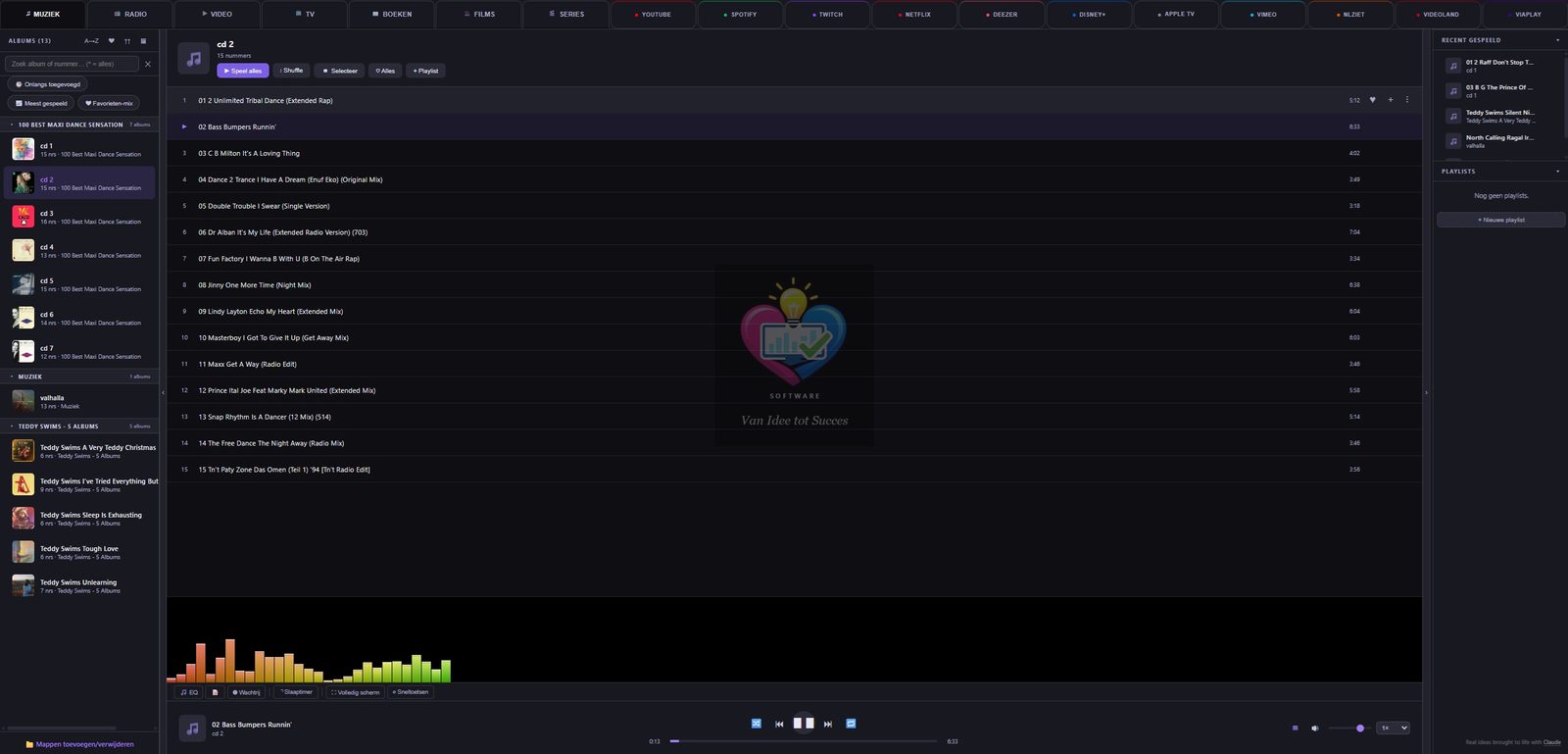
Play albums, tracks and playlists from your local folders — fully via the browser, with album covers and track lists fetched via MusicBrainz.
Supported TV services
OmniStream supports connecting to legal TV services you have a subscription to yourself. You enter your own login details; they are stored encrypted on your own computer and are not sent to us.
If you have an Odido TV subscription, you connect it with your own account details. You watch the channels included in your subscription, with programme guide and favourites in the same place as your own music and videos.
Your own, legal subscription Depends on Odido — no guaranteeWith your own Ziggo subscription you connect Ziggo GO as a TV source. Here too: you see what your own subscription allows, nothing more.
Your own, legal subscription Depends on Ziggo — no guaranteeYou connect the public broadcaster with your own NPO account. Note: no programme guide is included here — you get the channel list, not what is on now and next.
Your own, legal account No programme guide — depends on NPOWith your own KPN TV subscription you connect your channels. Also without a programme guide here: KPN does not make one available in a usable way.
Your own, legal subscription No programme guide — depends on KPNDoes your provider give you an M3U or M3U8 link? Then you paste it in and you are done. This is the most common way to pass on a channel list, so most providers not listed above simply work with it.
Your own, legal subscription with any provider What you see depends on what your provider gives youIf your provider uses a URL, username and password following Xtream Codes, you fill in those three. That brings in films and series alongside the channels, and where your provider includes a guide, you see it too.
Your own, legal subscription with any provider What you see depends on what your provider gives youOmniStream does not sell TV subscriptions and supplies no channels, films, series or music itself. We offer no illegal or unauthorised streams and no pre-configured media boxes. You obtain your subscription directly from your own provider — Odido, Ziggo, NPO, KPN or another party that gives you an M3U link or Xtream Codes details. How well the connection works depends on factors outside our control, such as changes at the provider; we therefore cannot guarantee continuous availability.
Three ways to run it
The same OmniStream software, three different ways to get started — choose what best fits the hardware you already have or want to buy.
Install OmniStream as a background service on a Windows PC or server you already have. Ideal to begin, to test, or to run alongside other tasks on the same machine. No new hardware needed — other devices in the house simply open OmniStream via the browser.
Fastest start — existing hardware Requires a Windows PC that (usually) stays onA simple or reused PC becomes, with this ISO, a full, dedicated media-center kiosk: the device boots straight into OmniStream, without a keyboard or mouse needed — control can be entirely via a remote or the mobile remote on your phone.
A real "TV box" experience Requires an x86/x64 PC as the kiosk deviceFlash this image onto an SD card and a Raspberry Pi becomes a quiet, compact and energy-efficient media-center kiosk. Ideal for a second TV, a bedroom or a small living-room setup at low purchase and power costs.
Compact, quiet & energy-efficient Requires a Raspberry Pi (4 or newer recommended) + SD cardAll three platforms share the same features, user profiles and Free/Paid limits. The only difference is how you install OmniStream on your hardware.
Ongoing development
Choose your platform below
All three downloads below are the same OmniStream software — see the platform comparison above to decide what fits your situation best. The software is free to download and works without a licence in the free version.
Licence: € 5,99 per month · € 24,99 per six months · € 35,99 per year. One-off payment, expires on its own — no subscription. Terms · Right of withdrawal
See below what has been improved in the latest version.